


Before applying for a loan, check your Al Etihad Credit Bureau (AECB) credit report for accurate personal details, reported income, account balances and payment history. Identify your score type, investigate unfamiliar entries and compare the proposed repayment with your existing commitments. The aim is to understand your position and resolve errors before submitting an application.
By Lotus Team | Updated 4 November 2026
What to check in your AECB credit report
Start with the information behind the number. Etihad Credit Bureau’s individual Credit Report contains personal information, financial commitments, bills and the last reported salary, using data supplied by financial and other information providers.
Confirm that the personal details belong to you. Compare the reported income with current income evidence, then review every account against your statements. Keep payment receipts and settlement or closure letters nearby so you can investigate differences. For card accounts, our guide to reading your monthly credit card statement explains which dates, balances and payment entries to compare.
How to get your AECB credit report
Choose the full report when preparing for an application. The bureau lists the individual report, including the score, at AED 84, while the score alone costs AED 10.50. Confirm the price before purchase.
The bureau’s access guidance lists its app, plus DubaiNow and TAMM, with UAE PASS access through the government apps.
Use the headings in your downloaded report to navigate. The following checklist covers the bureau’s published report contents and full-report comparison.
| Report section | What to check |
|---|---|
| Personal details and salary | Your details are correct and the reported income matches your records. |
| Score, factors and recommendations | The applicable scoring model and the factors explaining your credit profile. |
| Income Utilisation Ratio | The income and monthly commitments behind the percentage. |
| Accounts and credit contracts | Account ownership, balances, card limits and open or closed statuses. |
| Payment history | Any delayed-payment entry, checked against dated statements and receipts. |
| Credit enquiries | Entries you can reconcile with applications you made; investigate anything unfamiliar. |
| Court obligations and returned cheques | Whether any records belong to you and reflect the correct circumstances. |
Check smaller commitments too. The bureau says buy now, pay later (BNPL) information may include balances, contract status and remaining instalments. Include those payments in your own budget review.
How to interpret payment history and credit scores
Read payment history account by account and use the legend in your downloaded report. The bureau’s payment-history guidance describes green as paid by the due date, yellow as paid late by up to 90 days, and red as paid more than 90 days late.

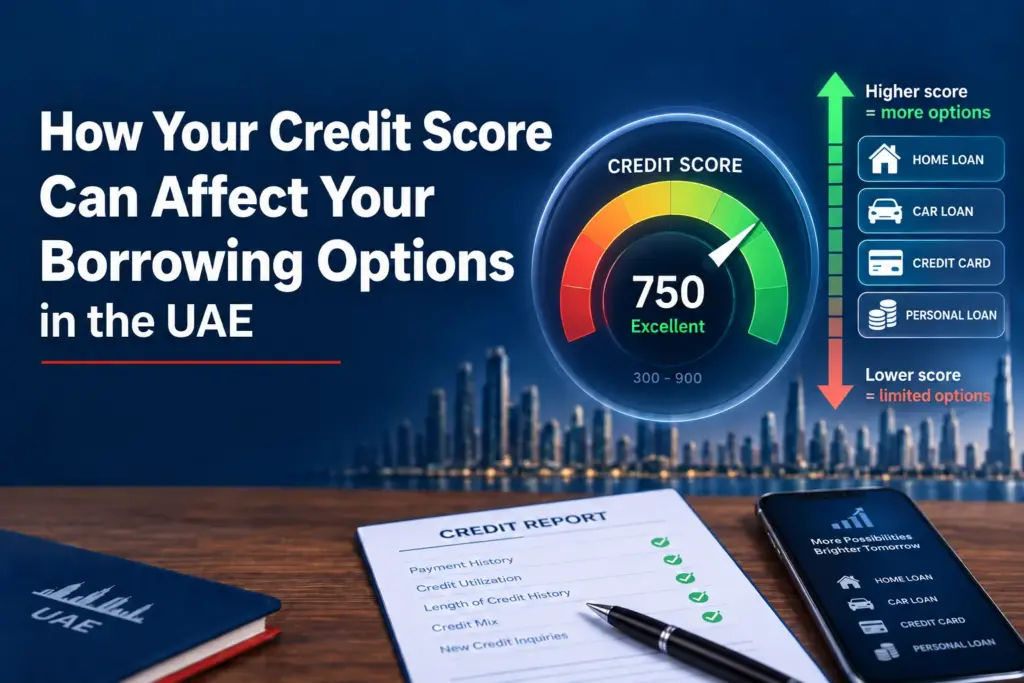
For the score, identify the scale first. The current Credit Score 3i model uses 300–850 for established credit histories and 300–650 for New-to-Credit/New-to-Country customers with limited histories. Read any descriptive rating alongside your score type and factors; avoid applying an older band chart to a different scale.
Late payments, heavy use of card limits, recent credit applications and returned cheques deserve attention because they relate to the bureau’s published score factors. For broader context, see Lotus’s guide to credit scores and UAE borrowing options, using the bureau’s current ranges to interpret your number.
How to correct an error in your credit report
Compare the entry with dated evidence before raising a query. Check the account reference, status, balance and relevant payment month so you can describe the difference clearly.
Illustrative situation — a closed card still appears open
A resident has written confirmation that a card account was closed, but the report still shows it as active. The next step is to compare the closure date with the report information, then submit the confirmation with a request to review the status. This hypothetical example illustrates a document check, not a guaranteed correction or lending outcome.
If your evidence points to an error, follow the bureau’s Data Correction process: select “Correct my data”, complete the form, and attach your Emirates ID and supporting documents. Errors from different providers require separate requests.
The service is free for reports bought within the last 30 days. The bureau forwards requests to the provider and says the history should update within 10 working days, according to its correction guidance. Keep the acknowledgement and follow up if unresolved.

How your report relates to affordability and DBR
Debt burden ratio (DBR) compares debt repayments with income. Accurate account information helps you understand your existing commitments. You also need to assess whether the proposed repayment fits alongside essential spending and savings.
The report’s Income Utilisation Ratio (IUR) uses last reported income, loan payments, 5% of active card limits, and the previous month’s telecom and utility dues, under the bureau’s IUR methodology.
Illustrative calculation — understanding the IUR
Consider someone with monthly income of AED 20,000, loan payments of AED 4,000, active card limits totalling AED 20,000, and telecom and utility dues of AED 1,000.
The IUR card component is AED 1,000. Included payments total AED 6,000; dividing this by AED 20,000 gives an IUR of 30%. These are fictional round figures and do not establish loan eligibility. A lender must assess DBR separately, including the proposed borrowing.
The Central Bank’s general individual-lending rule limits repayments across relevant facilities to 50% of gross salary and qualifying regular income, with a 30% provision where repayment extends into retirement. Ask your lender which requirements apply to your application.
Checklist before applying for a loan
- Confirm that the accounts, balances and repayment entries are accurate.
- Raise any errors with supporting documents and keep the correspondence.
- Ask how the lender will calculate commitments after the proposed borrowing.
- Check that the new equated monthly instalment (EMI) leaves room for essential spending and savings.
Try the Free DBR Calculator to estimate how repayments compare with your income. For help reviewing existing commitments, book a free consultation.
Frequently asked questions
Does the full report include my score?
Yes. The bureau’s individual report includes the credit score.
Why is my score out of 650?
The New-to-Credit/New-to-Country model ranges from 300–650 for customers with limited credit history.
How far back does the report go?
The bureau describes 36 months of payment history. Separately, its retention guidance says defaults, missed payments and bounced cheques can appear for up to five years, including after settlement.
Does paying off a debt erase a correct late-payment record?
Settlement does not immediately remove accurate history, according to the bureau’s retention guidance. Correction requests address inaccurate information.
Is IUR the same as credit card utilisation?
No. IUR compares included monthly payments with reported income. Card utilisation concerns how much of a credit limit is used, as explained in the bureau’s score factors.
Can a strong score guarantee approval?
No. The bureau provides information for lenders’ own decisions; it does not approve applications.
This article provides general information, not financial or legal advice.
Sources
The sources below support the factual guidance. The source list records an access date of 2 November 2026.
Etihad Credit Bureau. (n.d.). Credit Report — Individual. Accessed 2 November 2026.
Etihad Credit Bureau. (n.d.). Data Correction — Personal. Accessed 2 November 2026.
Etihad Credit Bureau. (n.d.). Income Utilisation Ratio. Accessed 2 November 2026.